> For the complete documentation index, see [llms.txt](https://docs.uppromote.com/llms.txt). Markdown versions of documentation pages are available by appending `.md` to page URLs; this page is available as [Markdown](https://docs.uppromote.com/settings/general-settings/weekly-email-report.md).
# Weekly email report
Enable the weekly email report in UpPromote to get a regular summary of new affiliates, clicks, sales, and orders, so you can track your program at a glance.
It's extremely important to keep yourself updated on your affiliate campaign frequently. It helps you to take prompt actions to optimize your team's performance when there are unusual activities. Understanding that insight, we've launched a feature to help you get weekly updates on your team via email.
Every week, we will send you an email including basic information about your campaign, such as the number of new affiliates, new clicks, new sales, and new orders, we also recommend some resources to help you learn and grow better.
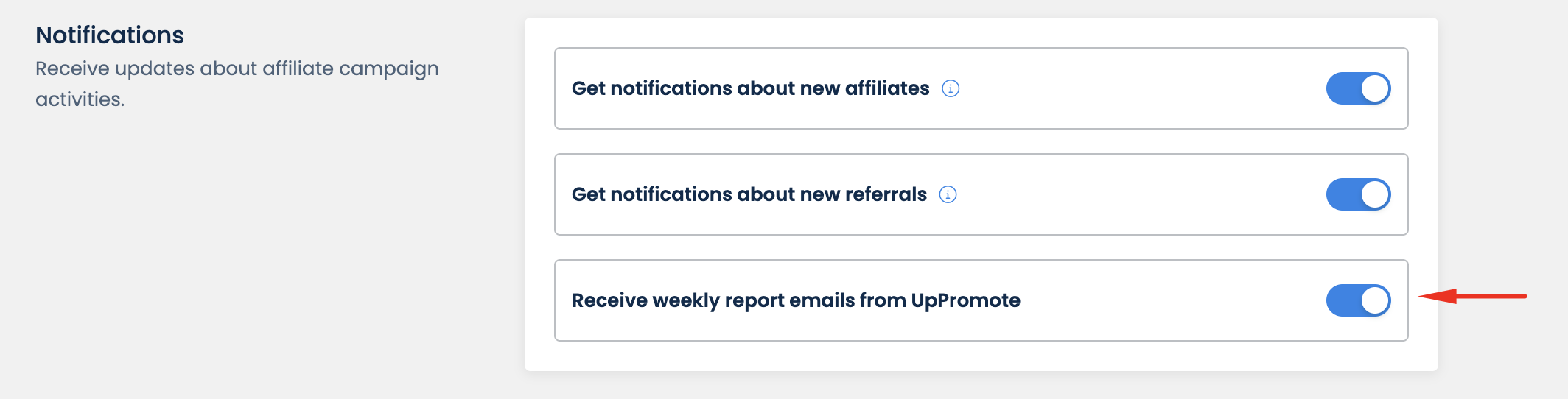
To get the weekly email, you need to enable the notification on **Settings** > **General** > **Notifications** > **Receive weekly report emails from UpPromote.**
Here is a sample of the weekly email:
.png?alt=media&token=6205f189-e216-494f-bcf1-e49bf501d413)