> For the complete documentation index, see [llms.txt](https://docs.uppromote.com/llms.txt). Markdown versions of documentation pages are available by appending `.md` to page URLs; this page is available as [Markdown](https://docs.uppromote.com/settings/general-settings/favicon.md).
# Favicon
Add a favicon in UpPromote to display your brand icon on the affiliate signup and login pages. Learn how to find your favicon URL and set it up in a few clicks.
Favicon (short for favorite icon) is the icon shown on the browser's address bar or next to the site name in the bookmark list. It will be displayed on the address bar when your affiliates sign up or log into their account.
A favicon helps your affiliate program to be more professional**.** To know how to **Add a favicon to your Shopify store**, you can follow [this guide](https://help.shopify.com/en/manual/using-themes/change-the-layout/theme-settings/add-favicon) from Shopify.
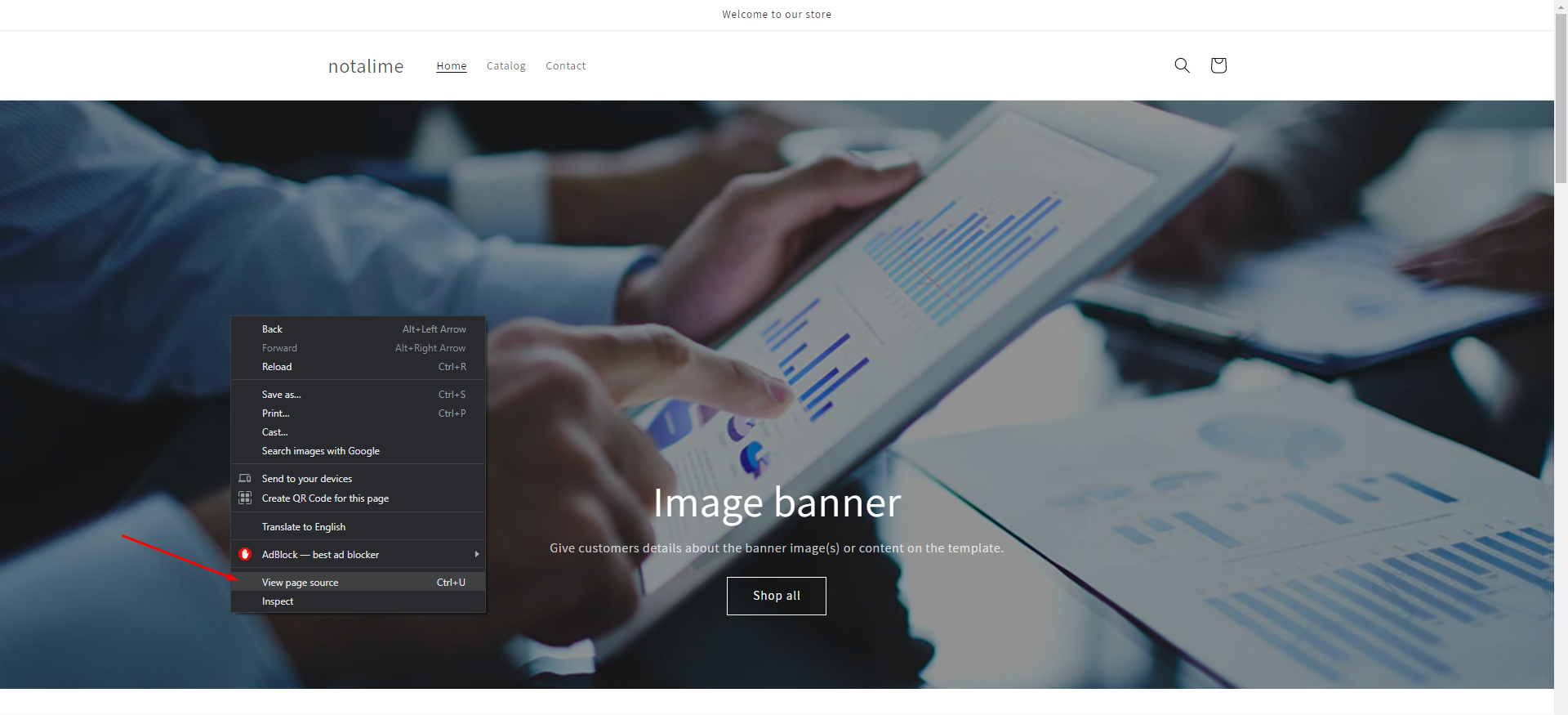
To get your **Favicon URL**, go to your webpage and right-click, then select **View page source.**
Next, press **Ctrl + F** and type ***icon**.* You will see your favicon URL next to it.
Copy the URL and paste it into the Favicon URL box, then add **https:** at the beginning of the link, just like this:
Finally, don't forget to click **Save** to confirm changes.