> For the complete documentation index, see [llms.txt](https://docs.uppromote.com/llms.txt). Markdown versions of documentation pages are available by appending `.md` to page URLs; this page is available as [Markdown](https://docs.uppromote.com/uppromote-marketplace/how-do-i-get-started-as-a-secomapp-marketplace-affiliate.md).
# How do I get started as an UpPromote affiliate?
Welcome aboard! This guide walks you through the first steps to activate your affiliate account and start exploring the UpPromote Marketplace.
## 1. Log Into Your Marketplace Account
Your Marketplace account is your gateway to:
* Accessing a wide range of affiliate offers across industries
* Applying to offers and growing your affiliate income based on your performance
* Tracking your application history, performance metrics, and commission breakdown
To get started, simply [log into your account](https://marketplace.uppromote.com/login) by clicking the **Login** button in the right corner of the UpPromote Marketplace website.
{% hint style="info" %}
After signing up, check your inbox for a verification email and confirm your address.
Once verified, you'll be taken straight to the **onboarding form**. This is where you’ll complete your affiliate profile, a required step before you can access any offers, by selecting the traffic sources you use (e.g., Email marketing, Social media, Blogs) and submitting proof for each source.
✅ **Important:** Completing your profile helps brands understand your approach and increases your approval chances.
{% endhint %}
## 2. Discover and Apply for Offers
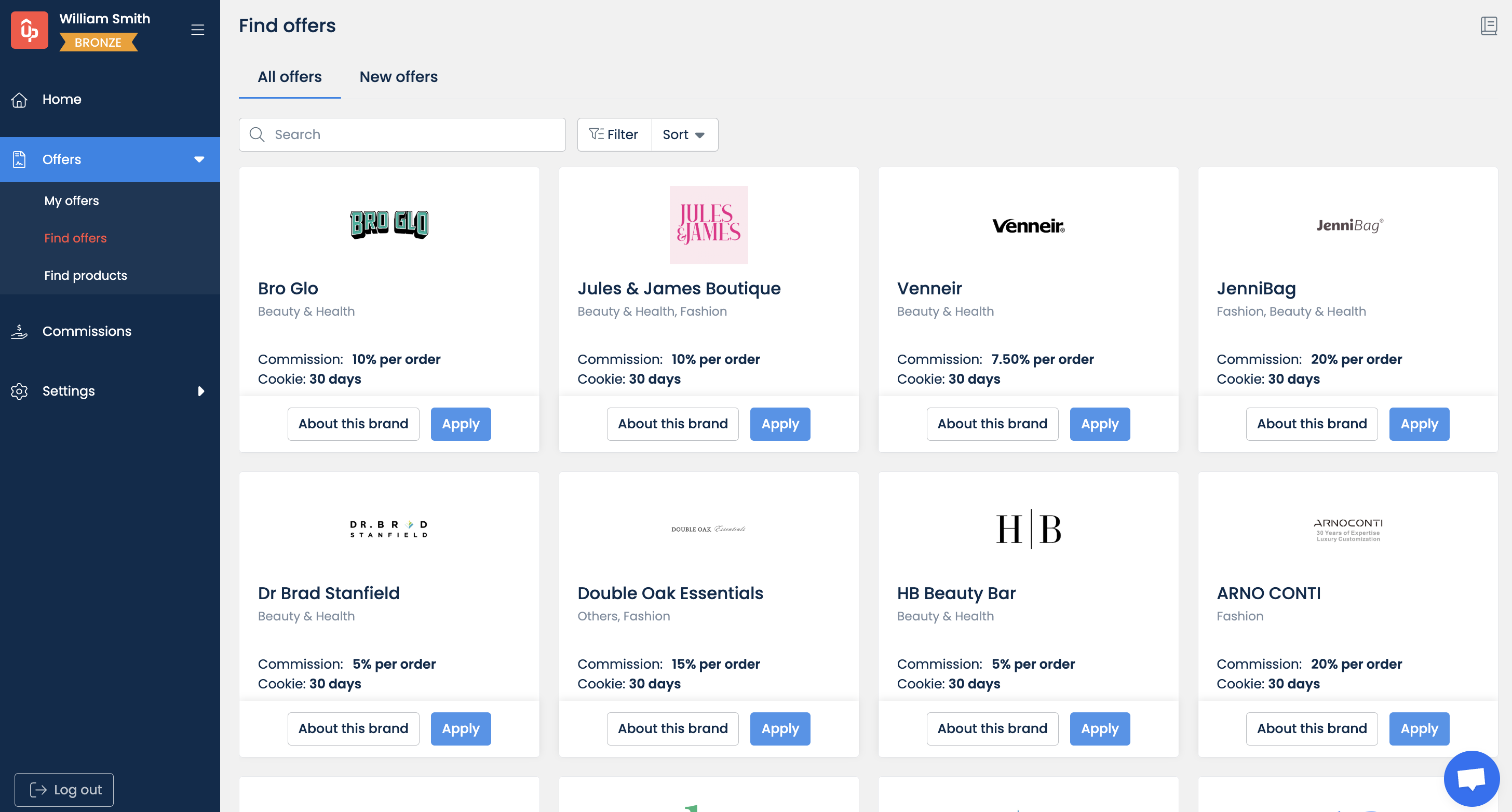
Head over to the **Find offers** page and you’ll see:
* **All offers**: Displays every available offer on the UpPromote Marketplace, sorted by our smart recommendation system to show offers most relevant to your profile
* **New offers**: Shows recently listed programs from the last 30 days
You can filter by commission type, category, promotion method, etc.
💡 The more complete your profile is, the better our system can tailor the most suitable offers for you.
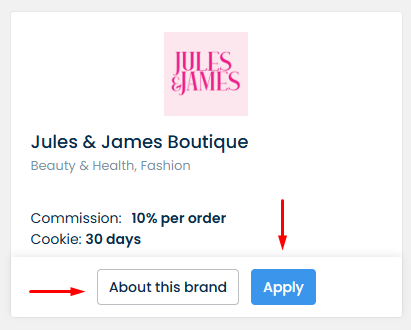
If interested, you can click on **About this brand** on an offer card to view its full details. Once you’re ready, hit the **Apply** button to submit your application to the brand.
{% hint style="info" %}
Depending on your [Marketplace rank](/uppromote-marketplace/marketplace-affiliate-ranking.md) (e.g., Bronze, Silver), you’ll have a limit on how many offers you can apply for.
{% endhint %}
💡 Brands may approve applications manually or auto-approve them — check the offer details to know what to expect.
For full instructions to take advantage of the **Find offers** page, [learn here](/uppromote-marketplace/marketplace-account-guide/find-offers.md).
## 3. Start Promoting Your Offers
Once you've been approved for an offer, it’s time to get to work and start promoting!
Each brand that has approved you to join their offer will provide you with a default affiliate link. Those are the keys for you to go for promoting and getting as much commission as possible.
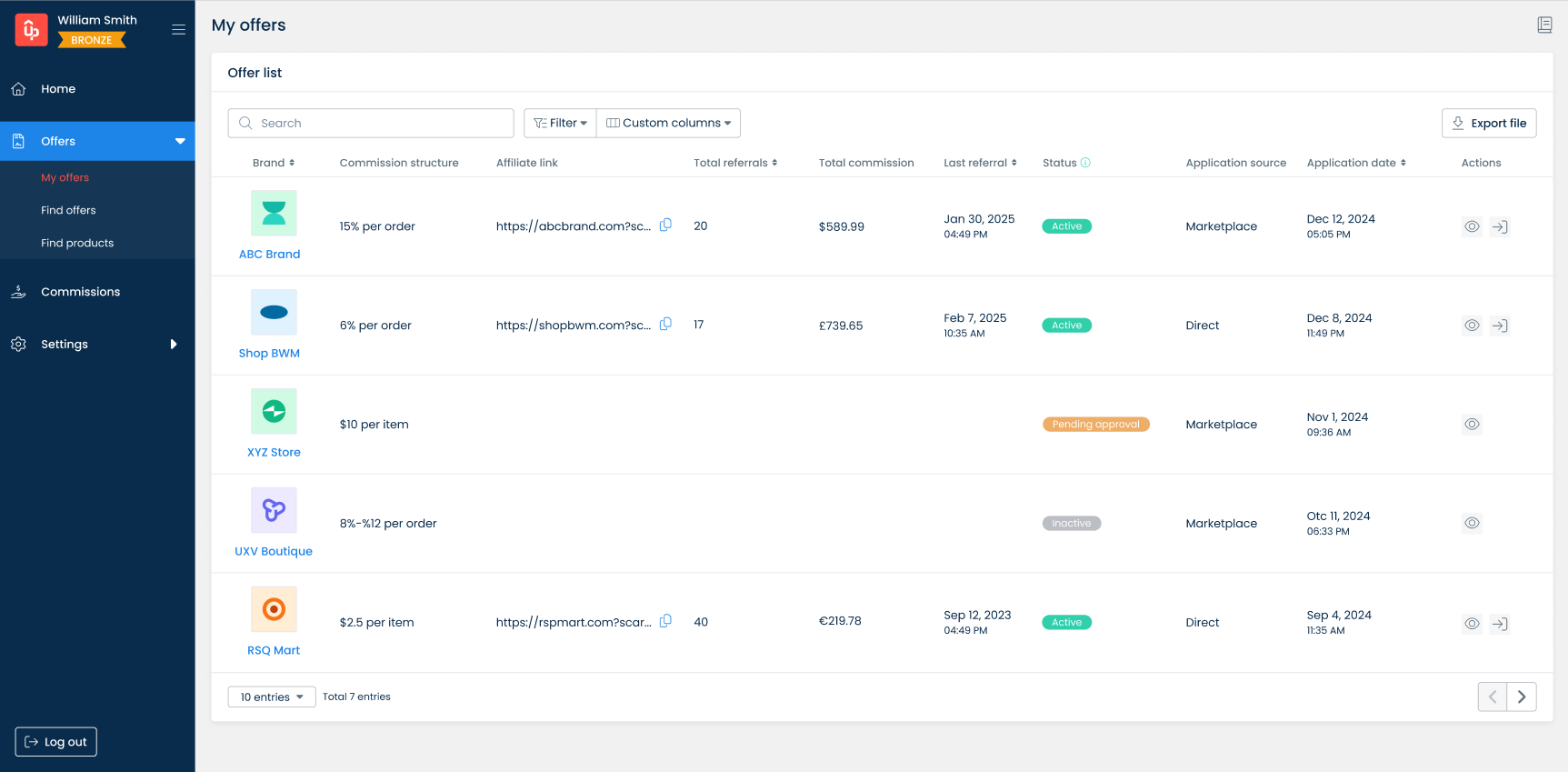
By going to the **My offers** page, you will see the list of the offers that you've applied for.
Look at the offers with the status 'Active', and you will see your affiliate link used to promote their brands and earn your commissions.
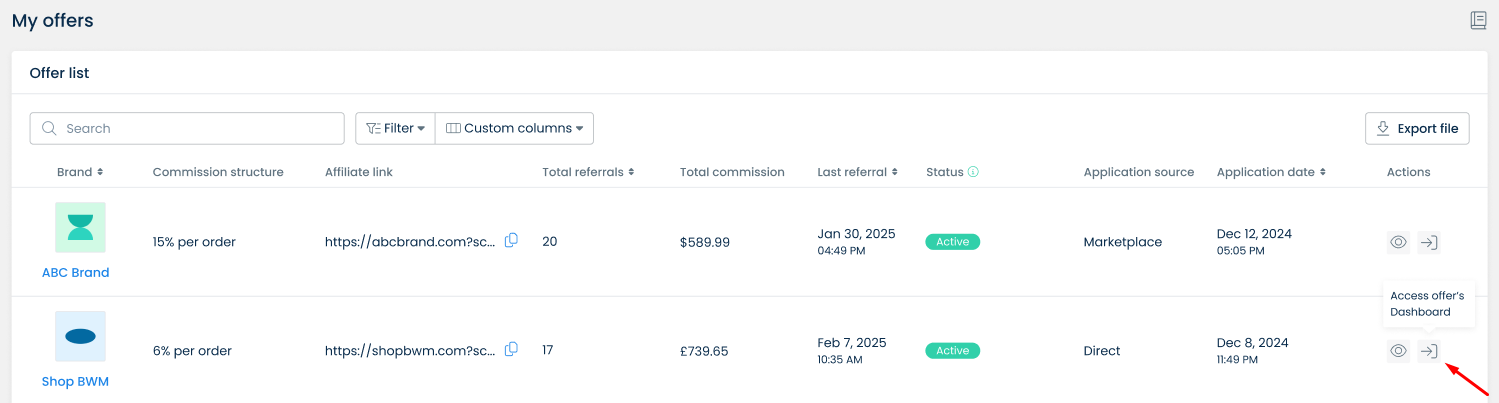
Besides, you can click on the button **Access offer's Dashboard** to enter your account and get your affiliate link/coupon (if provided).
You’re now ready to start sharing your affiliate links through your chosen platforms and drive traffic to earn commissions!
**Tips**:
💡 Make sure to promote using only the approved traffic sources and methods you’ve shared in your profile — brands may monitor traffic sources and enforce compliance.
💡 Double-check the brand’s promotion rules, payout methods, and cookie duration before launching any campaign.
## 4. Check Your Dashboard
Once you’ve applied for offers, your dashboard becomes the hub for managing your affiliate activity.
You’ll see:
* Top 9 recommended offers (based on your profile)
* Performance insights: Clicks, commissions, offer statuses, and more (once you start promoting)
***
## Pro Tips for New Affiliates
✅ **Apply for offers that align with your niche** to increase approval chances and performance
✅ **Keep your profile up to date** — your traffic methods and audience data influence recommendations
✅ Always **read the offer’s promotion rules** to avoid violations
✅ Look for **auto-approval programs** to start promoting instantly
✅ Be consistent with applications and stay active to grow your rank
[**Learn how to use your Marketplace account**](/uppromote-marketplace/marketplace-account-guide.md)
For additional support, please reach out to us via the in-app chat widget or email to .