> For the complete documentation index, see [llms.txt](https://docs.uppromote.com/llms.txt). Markdown versions of documentation pages are available by appending `.md` to page URLs; this page is available as [Markdown](https://docs.uppromote.com/settings/integrations/for-affiliates.md).
# Integrations for affiliates
Give affiliates pro tracking tools in UpPromote: a postback URL for cookieless server-to-server conversions and Facebook Pixel for their own ad attribution. Available from Professional plan
## Postback URL
{% hint style="info" %}
[Postback URLs](https://zeropark.com/blog/postback-affiliate-marketing/), in general, are URLs that are used to transfer information about conversion. They are sometimes called callbacks, server-to-server (S2S), or cookie-less conversion tracking. Postback allows servers to communicate with each other directly. If a client is not involved, no cookies would be used on a visitor’s computer. Once activated by a source platform (an affiliate network or tracker), these links would send information to the target platform (a tracker or traffic source) in a blink of an eye.
{% endhint %}
In short, **Postback URL** refers to the process of getting notified about a conversion event via a third-party server.
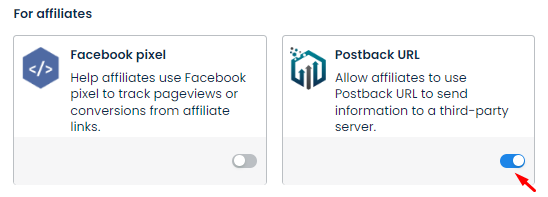
To enable this integration, go to **Settings** > **Integration** > **Postback URL** > toggle it on.
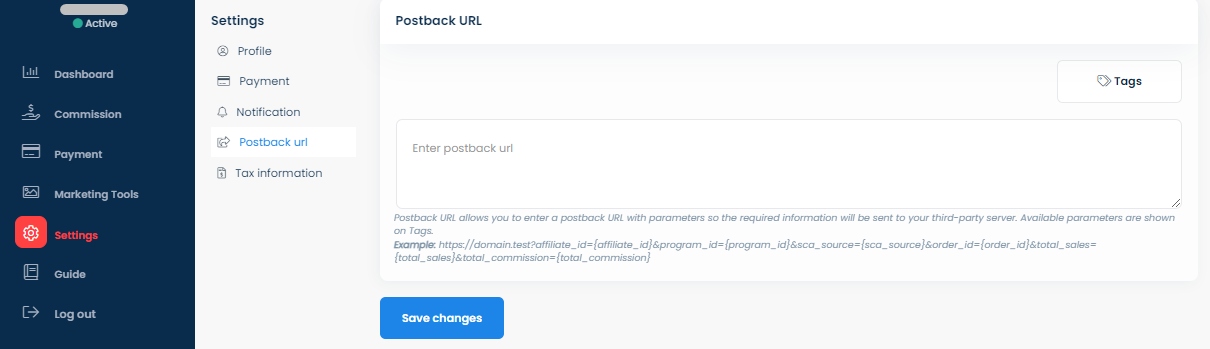
Enabling **Postback URL** allows your affiliates to enter their postback URL with **parameters** so the required information will be sent to their **third-party server**.
Affiliate admin
A postback URL template looks like this:
## Facebook Pixel
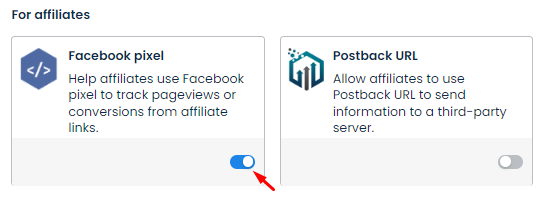
**Facebook pixel** helps affiliates embed their Facebook pixel IDs on your store to track pageview/conversion from their affiliate links. To enable this integration, go to **Settings** > **Integration** > **Facebook pixel** > switch it on.
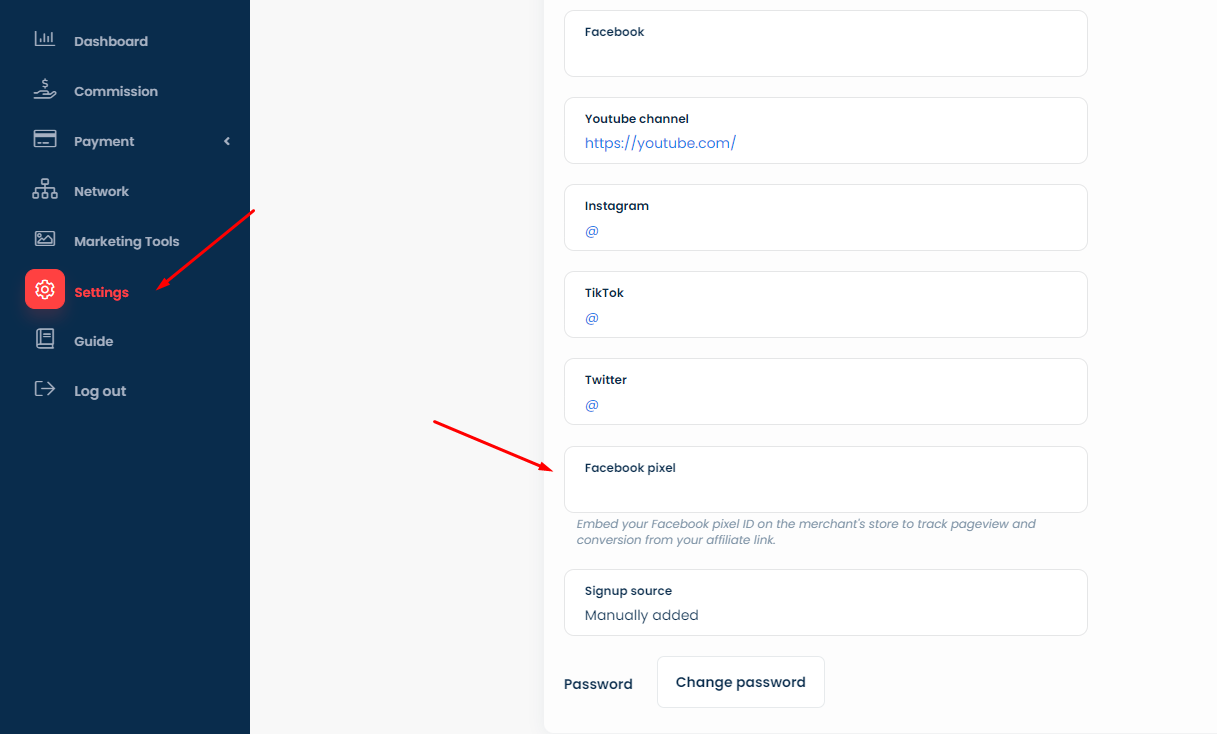
After you enable **Facebook pixel**, there will be a field called **Facebook pixel** for affiliates to enter their pixel ID on the affiliate account page: